Android is almost everywhere.Its cheap and is used in a variety of devices and by many companies, unlike Windows or iOS operating system which is only being used by Microsoft and Apple Inc. respectively. Android Open Source Project (AOSP) provides almost all development details on Android so developers learn and also create lots of themes, tweaks, hacks, and ROMs to change Android’s layout and functionalities but they still are not able to achieve perfection in developing iOS themes.
Here are few hacks for you to get a feel of iOS on your android phones. Needless to say, Try at your own risk and take proper backups before proceeding.
1. Using IOS Launcher Apps
2. Installing Custom Rom
1. Lets see few launchers first:
1. One Launcher
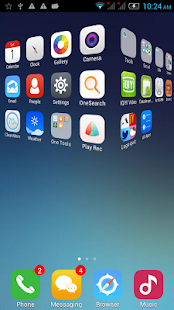
One Launcher is most popular iOS Launcher which is available to download for free at Google Play Store. It is easy-to-use launcher without frills and fuss. The interface resembles iOS operating system. Icons wiggles, user have the option to tap X to uninstall or long-press icon to delete/uninstall their apps, uncluttered home screen replacement, smart widgets, effects similar to iOS.

2. OS9 Launcher
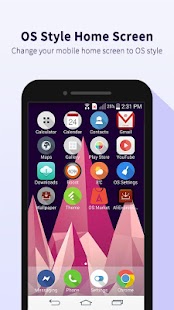
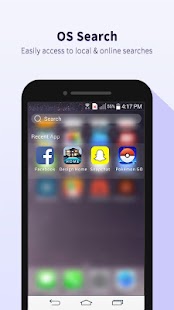
OS9 Launcher is developed to provide iOS 9 user experience in Android devices. The sliding effect, icon design, icon size, desktop icon arrangement, screen layout, wallpapers, search, etc. everything is designed to mimic iOS 9 and show the correlation of icons & effects in the same manner. Privacy hider, Quick Touch, OS search and many other tools are available in OS9 Launcher that you will not find in any other launcher.

3. xOS Launcher
This is minimalist iOS launcher app that you need if you only want visual effects and customization features just like iOS and nothing else. The app does not crash your Android or hog precious memory. xOS Launcher is pre-loaded with 10 authentic handset themes Apple iOS, OPPO, Vivo, XIAOMI, Huawei, LG, Samsung, etc. so you have a lot of options to enjoy other brand’s interface while keeping your same beloved Android device.
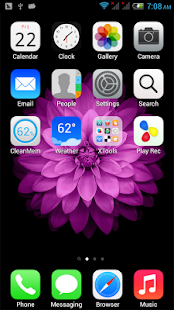


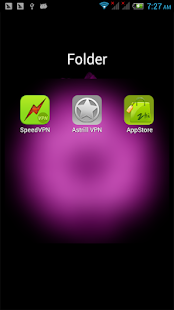


This Launchers would give same look like IOS.
Second approach is to install modified Rom which can give a feel of ios.
2. Using Custom Rom
Firstly you would be required to download the iOS on Android software to your PC or Mac.Once that is done, extract the executable files or the application bundle if you’re on a Mac. Place it in a folder you can find back later. Now follow these steps.
Step 1. Open the iOS on Android installation files on your desktop or laptop.
Step 2. Select the folder to install iOS on Android. Usually program files for Windows and Applications for Mac.
Step 3. Run the installer and open iOS on Android.Step 4. Connect your phone or tablet to your computer using a USB-cable. Even though all compatible cables will work, we recommend using the original cable.Step 5. iOS on Android will recognize your device. Verify if the model of your phone or tablet is displayed in the program. If not, try to update to the newest version of the software. You can find a Check for updates… option under the Settings tab. New phones are released almost every week so be sure to update the software.Step 6. Check the options you want. Though it’s optional, we highly recommend that you make a backup of your phone in the current state. None of your photos, videos or other files will be deleted while installing iOS on Android but it’s better to have a backup. You can also choose between iOS 7 and 8. The newest version of iOS will be installed by default.Step 7. Click Install and wait for the program to install iOS on your Android device.Step 8. Once the installer is done, your device will restart and you are done!
That is how to install iOS on Android devices. You can now use all the functions and features of iOS on your Android phone or tablet.
I hope this helps. :)
Do have a look at other iOS related blogs from side bar.
Feel Free to go through other pages of blogs as well. List given below.


 Posts
Posts


